
I’ve just spent the day hacking on FBReader to make it work correctly under OpenMoko (OM2008.*). Until now it’s been pretty much unusable due to the GPE version of FBReader expecting you to be using a device that has some physical buttons which then get bound to vital functions like turning the page. The changes I’ve made are as follows:
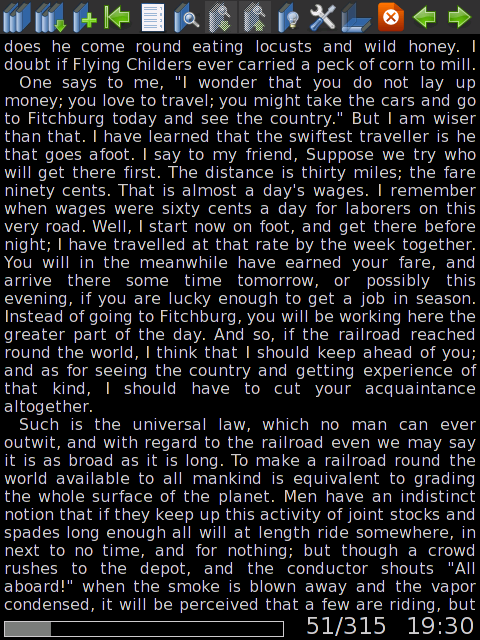
- Add scroll forward/backward buttons to the toolbar
- Add fullscreen mode button to the toolbar (doesn’t have an icon at the moment, it’s the third button from the right)
- Change fullscreen mode so that it doesn’t hide the toolbar (otherwise there’s no way to get back from fullscreen mode)
- Switch to using the much prettier blue tango icons
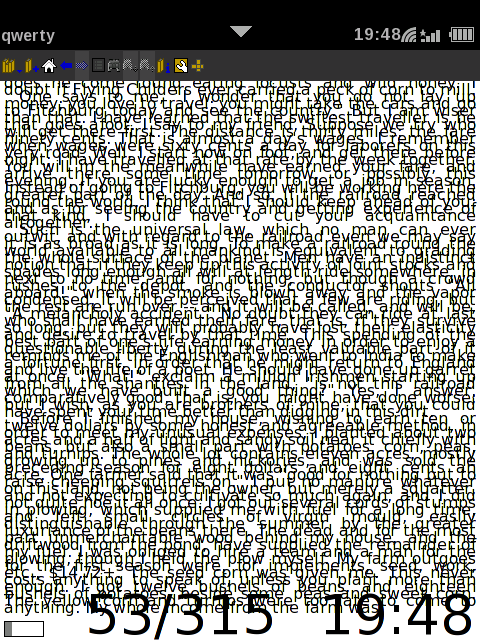
- Make the line separation larger so the text doesn’t overlap
- Reduce the font size
- Change the default colours to match openmoko’s colour scheme better (and so it’s a little easier on the eyes)
And most importantly…
- Make it so that tapping the sides of the screen turns the book’s pages (left = backwards, right = forwards)
Here’s a screenshot of what it used to look like:
And what it looks like with my patches:
To install it simply run:
opkg install http://mikeasoft.com/~mike/openmoko/enca_1.9-r3_armv4t.ipk http://mikeasoft.com/~mike/openmoko/fbreader_0.8.2a-r7+elleopatches_om-gta02.ipk
For those interested the patch can also be downloaded from http://mikeasoft.com/~mike/openmoko/fbreader-openmoko.patch.
Bonus points for anyone who knows what book I’m testing it with in the screenshots (without googling) ;).

There is a new 0.9.x version of FBReader available in SHR. Seems a bit more “integrated” (quotes meant to be ironic) into the stock SHR Illume theme, complete with an intrusive scrollbar and large screen font (you can fit about 4 words on to the screen). Rubbish! Thankfully your patched 0.8.2a is still available from OPKG.org, otherwise I would have gone crazy not being able to read my books… Got it downloaded and saved on my home server for in case…
Comment by Jan Henkins (dotslash) — August 24, 2009 @ 4:22 pm
Looks cool. Would upstream be willing to take your patch? It would be sad to lose that work…
Comment by spaetz — August 24, 2009 @ 9:30 pm